
Tahoma Font Guide – History, Features and Uses
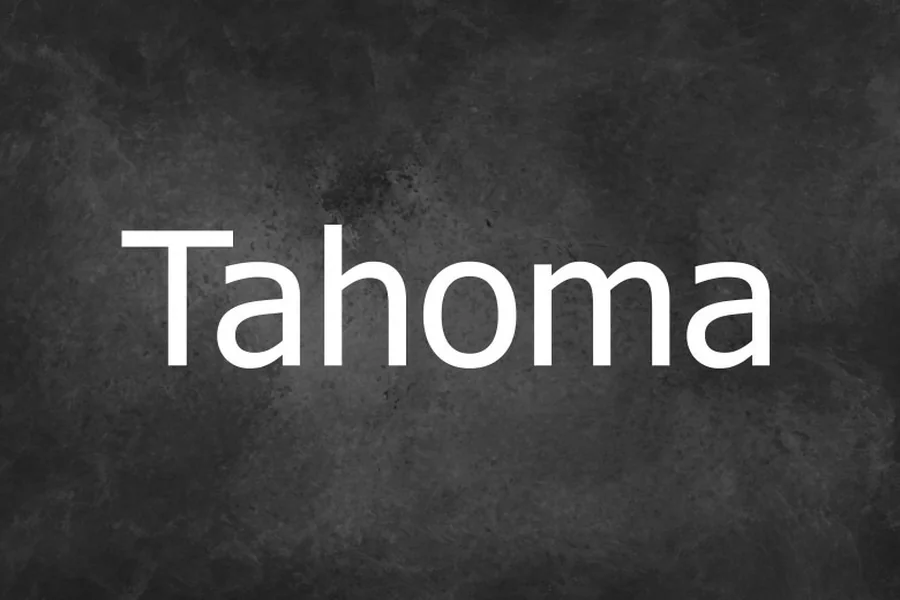
One of the most familiar system typeface in the digital world is Tahoma font. You have probably been exposed to it numerous times in case you have used a windows computer, prepared a document or went to an early web site. It has been designed to be readable on the screen, when monitors had low resolution, and the text could either be jagged or blurred.
The unique feature of Tahoma font is its concentration on the readability and simplicity. It did not intend to be ornamental. Rather, it was developed as a solution to a practical issue: to make texts easier to read on screen. It was a reliable user interface, business document and web publishing over the years.
The Origin and Development of Tahoma Font
Tahoma is the typeface created by Matthew Carter in 1994 under the Microsoft company. Digital typography was yet to emerge during that time. There were lower pixels on the screen and numerous typefaces that appeared effective in paper did not render well on monitors.
Microsoft had to have a font that would not become blurred when used at small sizes. Matthew Carter, who had a reputation of having mastered the art of type design, designed Tahoma which had powerful screen hinting. The procedure of shading letter shapes in a manner that they can be arranged to fit neatly into the pixel grid of a display is called hinting. This was a technical perfection that contributed to making text crisp and consistent.
Tahoma was initially shipped with Windows 95 and went on to make it into the system dialogs, menu and interface components. It soon became popular as a user was able to read it even in small layouts without any inconvenience.
This is thought to be named after a different name of the Mountain Rainier in Washington State called Tahoma. Although the name has regional beginnings the font itself was made global.
Key Design Characteristics
Tahoma font falls under the category of sans serif fonts, which is the font that lacks decorative strokes at the end of letters. It is more modern and cleaner as compared to serif types like Times New Roman.
A unique feature it possesses is its slightly condensed structure. The letters are thinner as compared to other various sans serif fonts. This means that the number of characters that can be placed on one line is increased and this is important in a user interface where there is limited space.
The interspacing between the letters is made with care. It is a small space that is not congested. This renders paragraphs clean and readable.
The other strength is that it has made a clear distinction between similar characters. As an example, the lower case letter l and numeral 1 will be more distinguishable compared to several other fonts. This enhances performance in data intensive applications like spreadsheets and dashboards.
There is uniformity in the total stroke. The thick and thin lines do not have any dramatic contrasts. Such regularity leads to an even reading pace and long blocks of text become easy to scan over.
Tahoma Compared to Other System Fonts
Tahoma font is usually associated with Verdana and Arial.
Another typeface that Matthew Carter created was Verdana to Microsoft. But Verdana is broader and has increased spacing. It was designed to be very readable in websites, particularly at slightly larger sizes. Tahoma on the contrary is slimmer and smaller. It accommodates more text and less space.
Tahoma as compared to Arial has some slight differences with significant implications. The Arial font is a general-purpose Arial-type that is designed to be used in print and digital. The Tahoma typeface was more screen-specifically optimized. The figures in Tahoma are a little more rounded and compact.
Segoe UI is another comparison of modernity. In subsequent editions of windows, the default font in the user interface was then replaced by Segoe UI. Segoe UI is sleeker with lighter curves and is more modern. Although it has a more sophisticated appearance, the more angular and geometric appearance of Tahoma in narrow layouts still appeals to some graphic designers.
Read More: Rae Dunn Font Style and Its Rustic Charm
Common Uses in Digital and Business Settings
Tahoma font was a ubiquitous operating system and application. System messages, menu labels, and dialog boxes were widely used with it. This ubiquity produced a feeling of familiarity and dependability.
In web design, Tahoma was frequently used as a font stack as it was already installed on most windows computers. The designers would be assured that it would always look the same without the need to download it again.
Tahoma is professional in business documents. It is nonselective and direct. It does not come in the way of the message. It is clear and not over-decorated when it comes to presentations, reports and emails.
It also can be used in smaller interfaces like dashboards or internal applications. Due to its compact size, it enables designers to put more information into a small space without compromising readability.
Tahoma is a viable choice to use in branding project but also in internal communication and structured content even though it is using more distinctive type faces.
Advantages and Limitations
The high level of legibility in small sizes is one of the primary benefits of Tahoma font. The text is also prone to readability even when it is scaled down. This proves useful particularly in user interfaces and technical documentation.
The other advantage is compatibility. Being a part and parcel of Microsoft operating systems it is highly distributed. This eliminates the risk of font substitution problems during the exchange of documents.
But Tahoma has its shortcomings. Its compressed format can be a bit cramped in a huge passage of body text. Other readers like more open and airy types in long form reading.
It can also be less contemporary as opposed to newer fonts. The trends in design changes and most brands are going with more curvy or personality typeface.
Nevertheless, trend is usually trumped by practicality. Clarity and reliability tend to be more important in most situations than visual flair.
Final Thought
Tahoma font has been significant in the digital typography. It was designed at a time when screen clarity was a significant challenge and thus it aided in establishing a new standard of on screen reading. The tight format, regular strokes, and robust hinting of the typeface had enabled it to be reliable in user interfaces and business communication.
Tahoma is still applicable even though newer typefaces like Segoe UI have been in the limelight. It comes in handy particularly in cases where there is a lack of space or compatibility of systems is a must. It remains a good option to designers and other practitioners who place a high value on functionality and readability.
The trends in typography can shift, but those types of fonts that will resolve actual problems are likely to last. Tahoma is one of those fonts.
FAQs
What type of font is Tahoma font?
Tahoma font is a sans serif typeface designed primarily for clear display on computer screens.
Who created Tahoma font?
Tahoma was designed by Matthew Carter for Microsoft in 1994.
Is Tahoma font good for professional documents?
Yes, it is widely used in business documents because it offers clarity and a neutral professional appearance.
How is Tahoma different from Verdana?
Tahoma is more condensed and compact, while Verdana has wider letters and more generous spacing.
Is Tahoma font still used today?
Yes, although it has been replaced as the default Windows interface font, it is still used in documents, web design, and internal systems.